Introduction to Fmod Godot
This article is here to help you figure out whether Godot might be a good fit for you. We will introduce some broad features of the engine to give you a feel for what you can achieve with it and answer questions such as "what do I need to know to get started?".
This is by no means an exhaustive overview. We will introduce many more features in this getting started series.
Overview
- FmodAudioServer
API to play events. and attach events to objects for specialization, updating positions and velocity.
- FmodBankLoader
Loads the banks in its bank list when it enters the scene tree. and unload them if no other bank loader node is loading the bank. Banks loaded this way are reference counted.
- FmodBank
Fmod Bank files are imported into Godot and exported automatically. Banks can be opened in the inspector to view what events they contain and their GUID.
- FmodEventEmitter2D FmodEventEmitter3D
Plays a selected sound effect. Edit parameters, spatialize the audio, and more
- FmodListener2D FmodListener3D
place listeners into the scene that automatically update their position.
Playing Sounds
Add a FmodEvent tag to strings or Vector4Is to choose an FMOD_Event from the inspector to be passed to FMOD API Functions.
Fmod Godot api calls will convert Vector4i to an FMOD::GUID with an implicit cast and vice versa
@export_custom(PROPERTY_HINT_NONE, "FmodEvent")
var soundfx1 : String
@export_custom(PROPERTY_HINT_NONE, "FmodEvent")
var soundfx2 : Vector4I
[Export(PropertyHint.None,"FmodEvent")]
public string soundFX1;
[Export(PropertyHint.None,"FmodEvent")]
public Vector4I soundFX2;

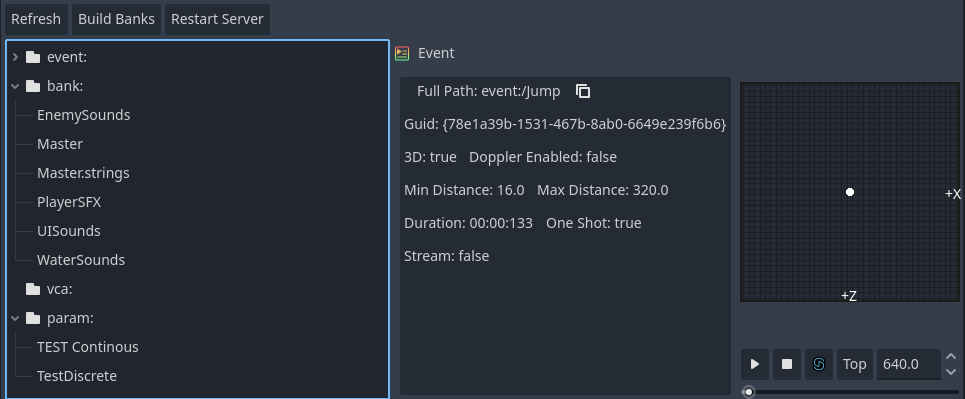
EventBrowser
The editor will load all of the banks in the banks folder. and cache them at startup. to be referenced by inspectors. You can drag and drop events from the browser